
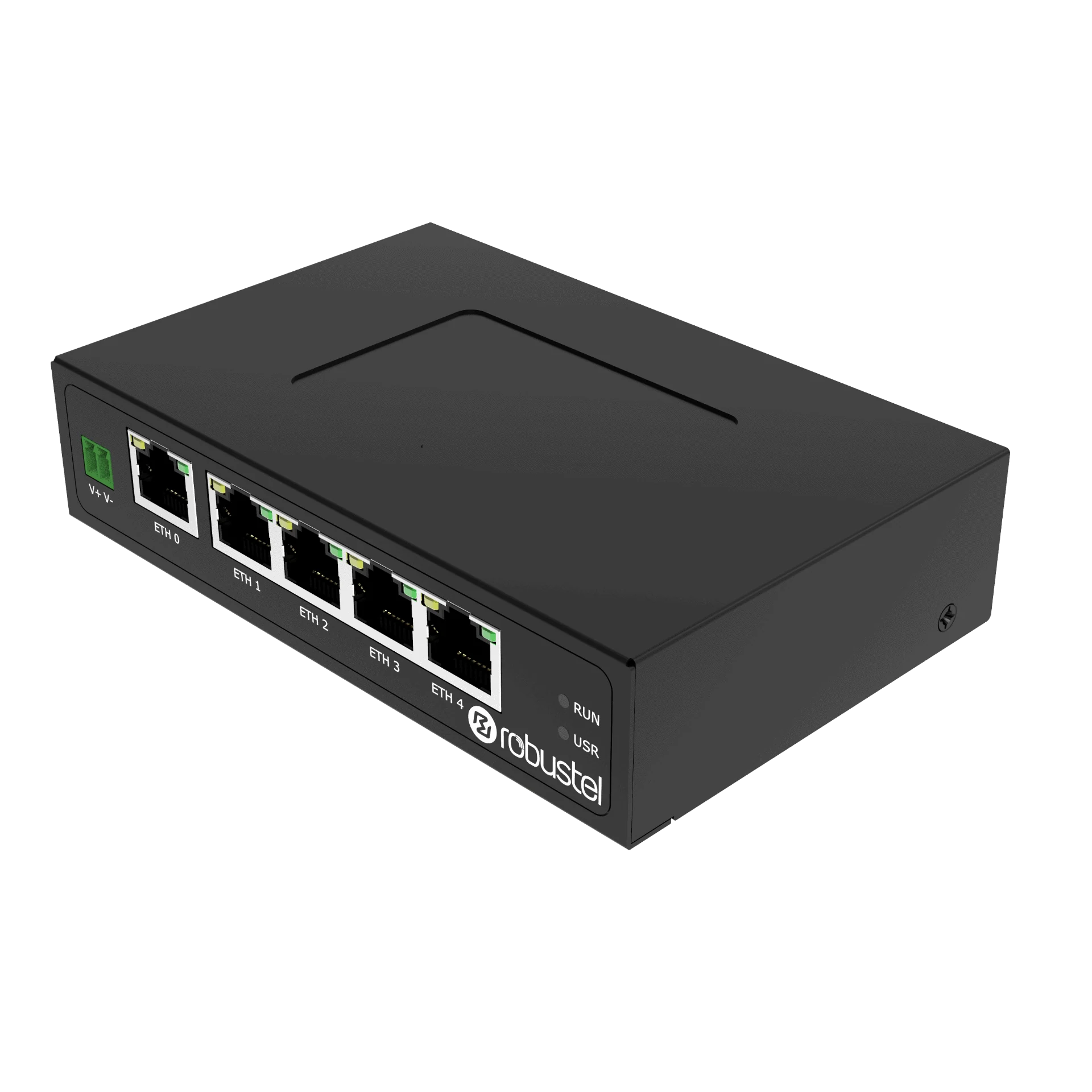


Product view R2111 product perspective
Product views · supplied accessories depend on the selected configuration.
R2111-NU Industrial NAT Router
Connect machines without changing their IP addresses.Connect fixed-IP or identical machines to your factory network, or link PLCs and HMIs with SCADA and MES across subnets. Keep duplicate-IP machines in separate LANs and configure the required routing, NAT and firewall rules.
- Ethernet
- 5 × Gigabit
- Network functions
- NAT & port mapping
- Port layout
- 1 WAN + 4 LAN / 5 LAN
- Management
- RCMS · Web · CLI
US$138 /unit
Shipping: US$40 per order worldwide.
Estimated delivery: 7–15 business days.
- Configuration
- Ethernet-only · no cellular modem
- Key approvals
- CE · FCC
Where an industrial NAT router helps.
Keep machine IP addresses unchanged
Keep existing IP settings, even when machines use the same address. Connect each separate machine LAN through its own configured router.
10.20.30.11Configured NAT192.168.1.10Same IP · unchanged10.20.30.12Configured NAT192.168.1.10Same IP · unchangedTwo-network example · one router per machine network. Routers sold individually.
Example addresses
Connect machines across different subnets
Connect PLCs and HMIs to factory SCADA or MES. Use routing where addressing and return paths allow; configure NAT only when required.
10.20.30.0/24R2111Routing · NAT if needed192.168.1.0/24Example addresses
NAT translates addresses; firewall rules permit traffic. Keep duplicate-IP machines in separate LANs: NAT cannot resolve duplicate addresses within one LAN. Verify firmware support, return paths and application protocols. RCMS management needs an internet path and the applicable service, activation and terms.
TCP port mapping example
For a required HTTPS service, configure TCP 8443 at the factory-side router address to reach TCP 443 on the machine device. Configure and verify the mapping, return path and firewall rules for the supplied firmware.
Start with a focused NAT evaluation.
Map the address spaces
Record equipment and site subnets, gateways, service ports and required traffic direction.
Allow one required service
Configure a narrow port mapping and source-access rules for an authorised client.
Check allowed and blocked traffic
Verify the application session, denied connections, discovery behaviour and configuration after a restart.
Plan remote operations
Confirm the internet path and applicable RCMS / remote-access service before wider deployment.
Technical specifications
Networking & software
| Parameter | Specification |
|---|---|
| Selected model | R2111-A-NU |
| Ethernet | 5 × 10/100/1000 Mbps; 5 LAN or 4 LAN + 1 WAN |
| Cellular | No cellular modem or SIM connection |
| Operating system | RobustOS |
| NAT & access control | NAT, IP Passthrough, port mapping, DMZ; IP / domain / MAC filtering and access control |
| Remote management | RCMS, Web and CLI |
Power & installation
| Parameter | Specification |
|---|---|
| DC input | 12–36 V DC |
| Recommended adapter reference | 12 V DC / 1.0 A |
| Operating temperature | −20 to +55 °C normal; −25 to +70 °C extended operation |
| Enclosure | IP30 metal; 29.5 × 81.8 × 127.2 mm |
| Mounting | Desktop, wall or 35 mm DIN rail |
| Approval reference | CE / FCC listed for R2111-A-NU; confirm destination requirements |
Gigabit Ethernet describes the port link speed. NAT, firewall and VPN throughput depends on traffic and configuration.
R2111-NU runs RobustOS. It is not a RobustOS Pro gateway for Debian, Docker or E2C Factory workloads.
Specifications vary by model and hardware revision.
Recommended hardware configurations
Choose the model and regional configuration for your installation.
R2111-NU industrial NAT router
- Manufacturer order reference
A014000008- Hardware model
- R2111-A-NU
- Device reference
- B014000003
- Configuration
- Ethernet-only · no cellular modem
- Key approvals
- CE · FCC
R2111-A-NU provides wired routing without cellular service or radio-region choices. CE and FCC are listed for the hardware, but destination-specific requirements still apply. Mounting hardware shown in an installation image does not add it to the router-only pack.
Included in this manufacturer pack
- 1 × R2111-A-NU router
Plan separately
- Compatible 12–36 V DC power supply and regional plug. A 12 V / 1 A adapter is an installation reference, not a supplied accessory.
- Required wall / DIN rail mounting accessories
- Ethernet cables and RCMS plan / service term
Estimated delivery: 7–15 business days. Listed software is supplied with the hardware. Timing can vary with availability, destination and customs clearance. Worldwide outbound shipping is US$40 per order, charged once regardless of the number of items. Import charges are separate unless included or collected in your confirmed order.
Frequently asked questions
Can I connect machines without changing their IP addresses?
Yes, with the required NAT or port mapping configured. Keep machines with identical IP addresses on separate LANs, using one configured R2111 per machine network. Devices on the same LAN still need unique addresses. Check firmware support, return paths and your application protocol.
Can R2111 connect devices in different subnets?
Yes, when routing and return paths are configured. Use NAT where address constraints require it, and firewall rules to allow only the traffic you need. Verify that your application protocol works across the connection.
Does R2111-NU need a SIM card?
No. R2111-NU is a wired Ethernet router with no built-in cellular modem. It uses an Ethernet uplink; choose a 4G or 5G router if your site needs cellular connectivity.
Can I use R2111-NU for remote PLC maintenance?
Yes, with an internet-connected wired uplink and a supported VPN or RCMS remote-access setup. Confirm the equipment you need to reach, firmware support and any required service activation or subscription.