
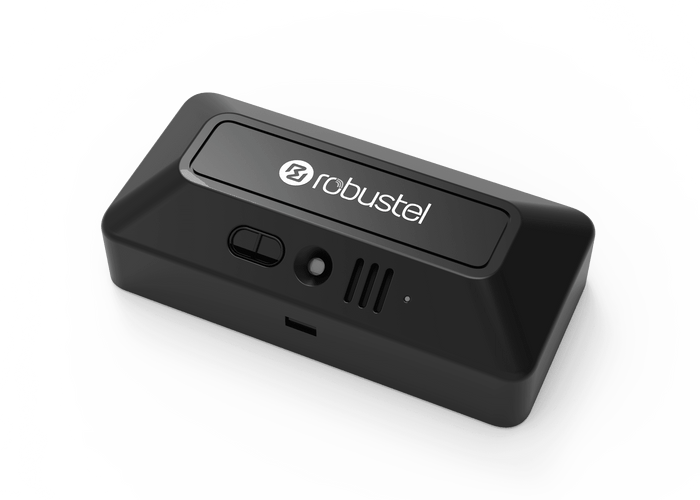
S6000U measurements
- Temperature
- Relative humidity
- Air pressure
- Ambient light
- Sound level
- Acceleration
- Tilt
- Distance (ToF)

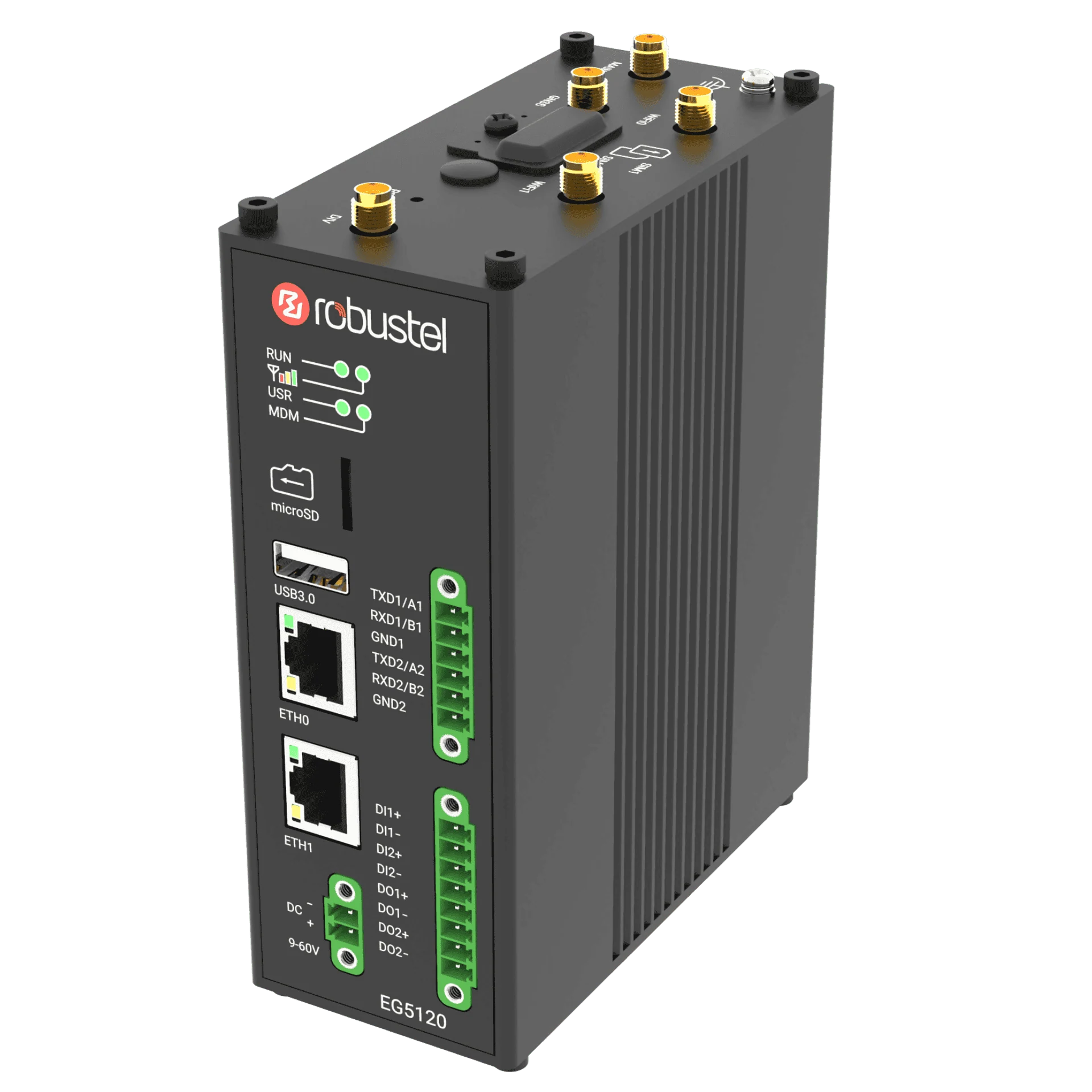
Product view EG5120 and S6000U hardware with E2C Factory and RCMS software roles
Industrial Data Kit
View temperature, tilt, distance (ToF) and more from the included S6000U in a local browser dashboard. Use the EG5120 and E2C Factory Core to collect data from your own compatible PLCs and meters.
- Gateway
- 4 GB / 64 GB
- Sensor link
- RS-485
- Local data software
- E2C Factory
- Gateway management
- RCMS
US$999 /kit
Shipping: US$40 per order worldwide.
Estimated delivery: 7–15 business days.
S6000U measurements
- Temperature
- Relative humidity
- Air pressure
- Ambient light
- Sound level
- Acceleration
- Tilt
- Distance (ToF)
EG5120 + E2C FactoryCollect and process locally
View readings, trends and alarms in your browser.

Manage the gateway remotely.
Hardware and software at a glance
EG5120
Global 4G gateway with dual Gigabit Ethernet and configurable RS-232/485.
S6000U
Measure the physical environment over RS-485 / Modbus RTU.
E2C Factory
Connect industrial data, local views and application integration.
RCMS
Monitor and manage the gateway remotely within the supplied service.
Explore each component
E2C Factory
Connect industrial devices and scale the project
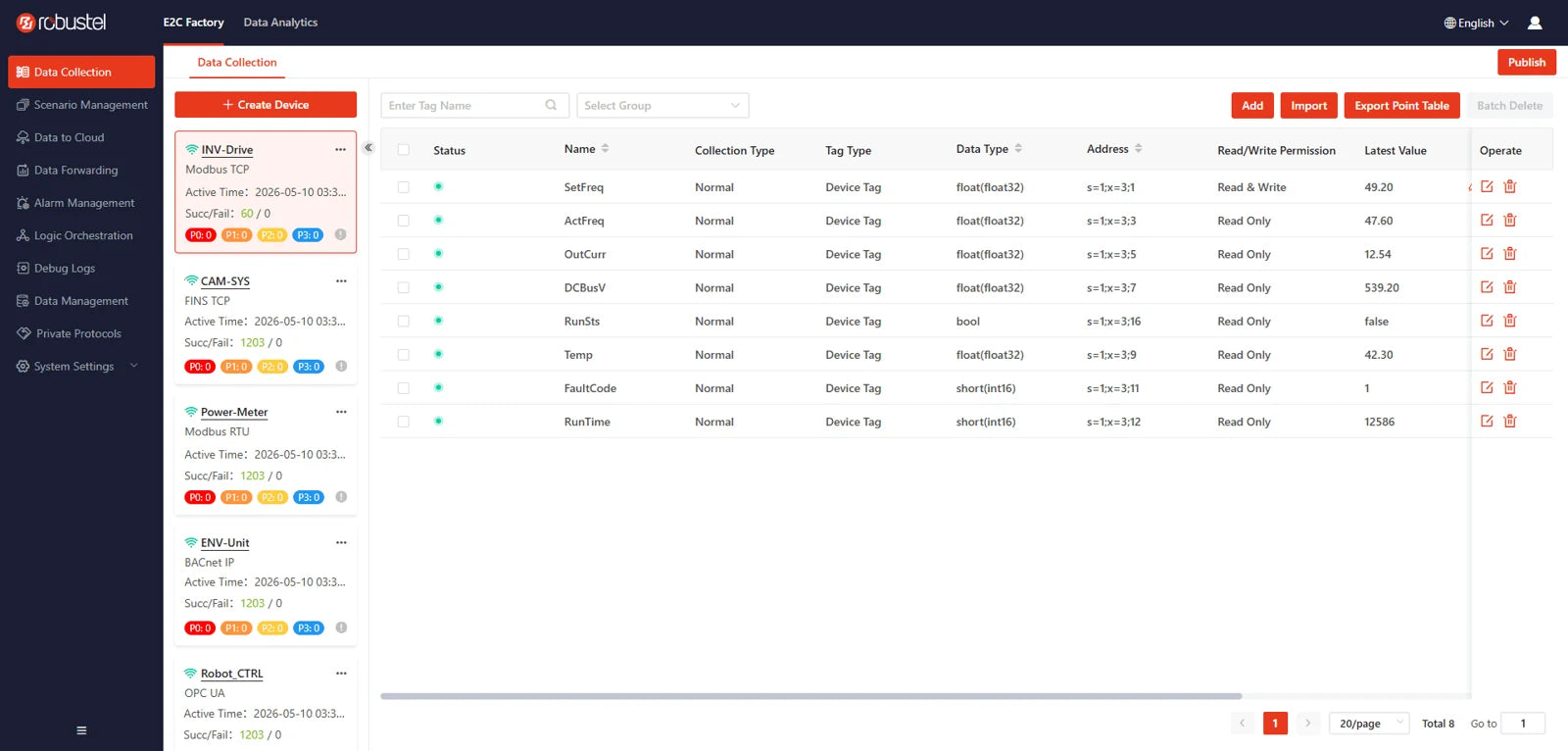
Unify the Kit’s S6000U, compatible PLCs and meters in one tagged data model. The wider E2C Trinity platform supports 100+ industrial protocols; use the Factory driver library to connect supported equipment.
- Modbus RTU/TCP, Siemens S7 and OPC UA drivers.
- Use the full Factory protocol library with the supplied Core licence.
- Group tags and check live readings and communication diagnostics.
Local processing, alarms and custom applications
Process readings on the gateway before sharing them with dashboards or other systems. Operators can see values in familiar units, and connected applications can reuse the same calculations.
- Scale a temperature register from raw 235 to 23.5 °C when each count represents 0.1 °C.
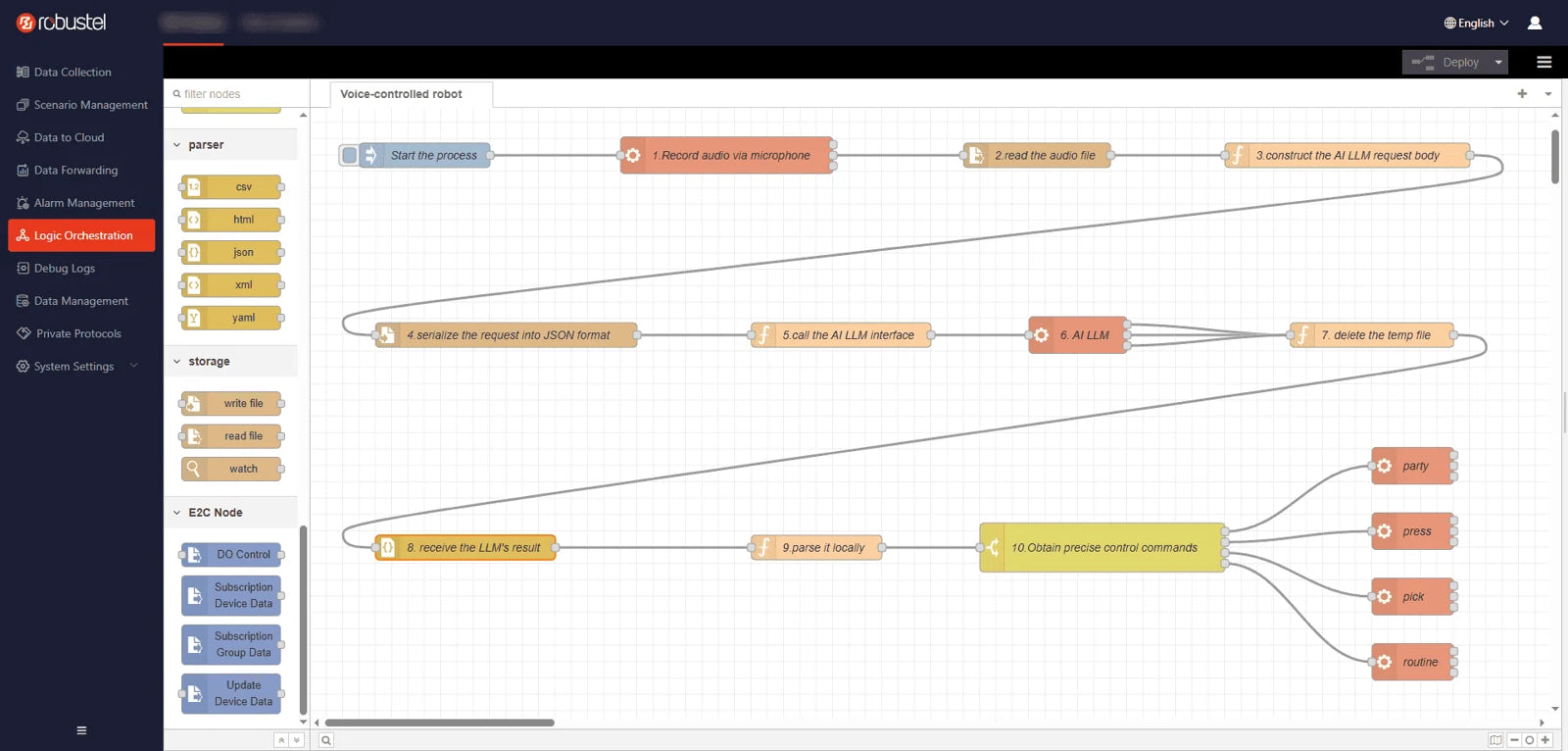
- Combine device or tag-group data in Node-RED and save a result to a virtual tag.
- Evaluate alarm thresholds locally and use a deadband to reduce repeated alerts.
- Deploy your own compatible Docker containers on the EG5120’s RobustOS Pro host.
Keep timestamped history through network gaps
Keep timestamped readings in local time-series storage for trends and review. When the MQTT connection drops, a separate outgoing cache can retain pending reports. The gateway resends retained reports when the connection returns.
- Choose which readings to archive with their record times.
- Set the offline cache size and retention period.
- Replay oldest first (FIFO), or prioritise the newest reports.
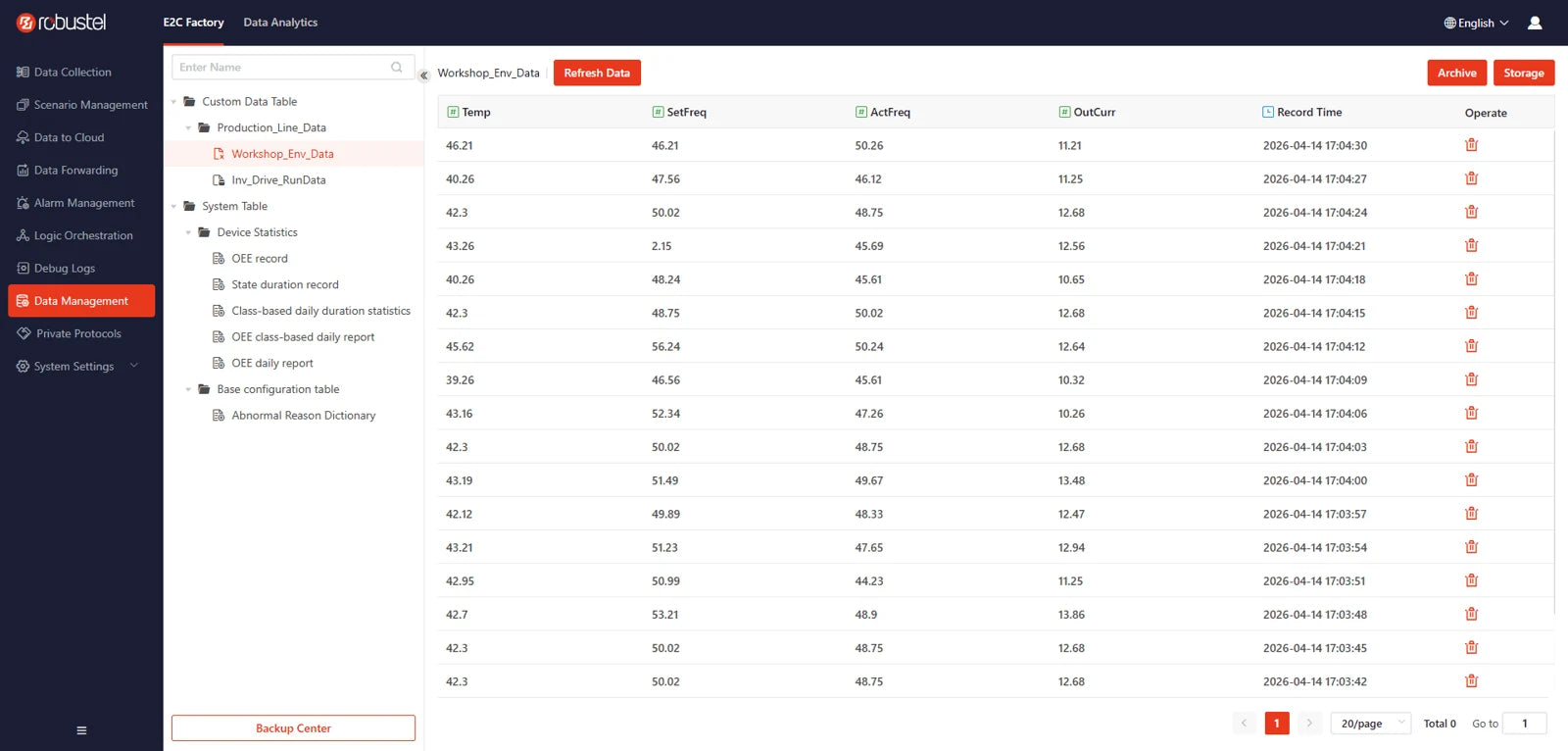
Visualise operations with SCADA and OEE
Build local SCADA dashboards for live measurements, status, trends and alarms. Compare archived trends with current equipment state. Factory Pro adds overall equipment effectiveness (OEE) analysis to assess availability, performance and quality.
- Create desktop or mobile views in SCADA Designer.
- Bind SCADA views to measured and calculated tags.
- OEE dashboards and analysis require Factory Pro.
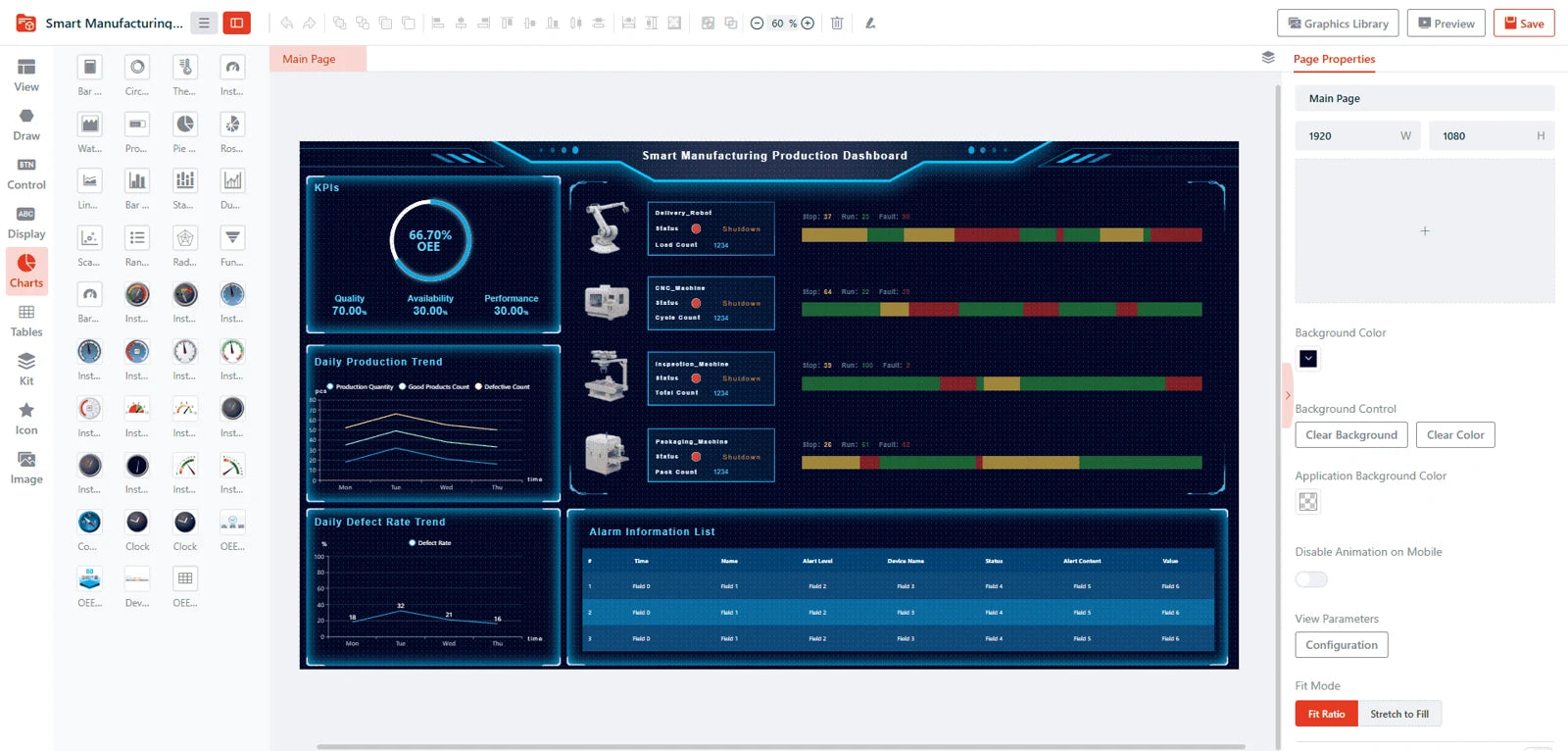
Connect through MQTT, Sparkplug B and industrial servers
Use standard MQTT for selected tag groups, or Sparkplug B for structured metrics and node/device status. Share the same underlying gateway tags with plant systems through industrial protocol servers. Use your own compatible MQTT broker and host.
- MQTT reporting: periodic, on-change or combined.
- Sparkplug B edge-node publishing and lifecycle messages.
- OPC UA, BACnet/IP and Modbus TCP server interfaces.

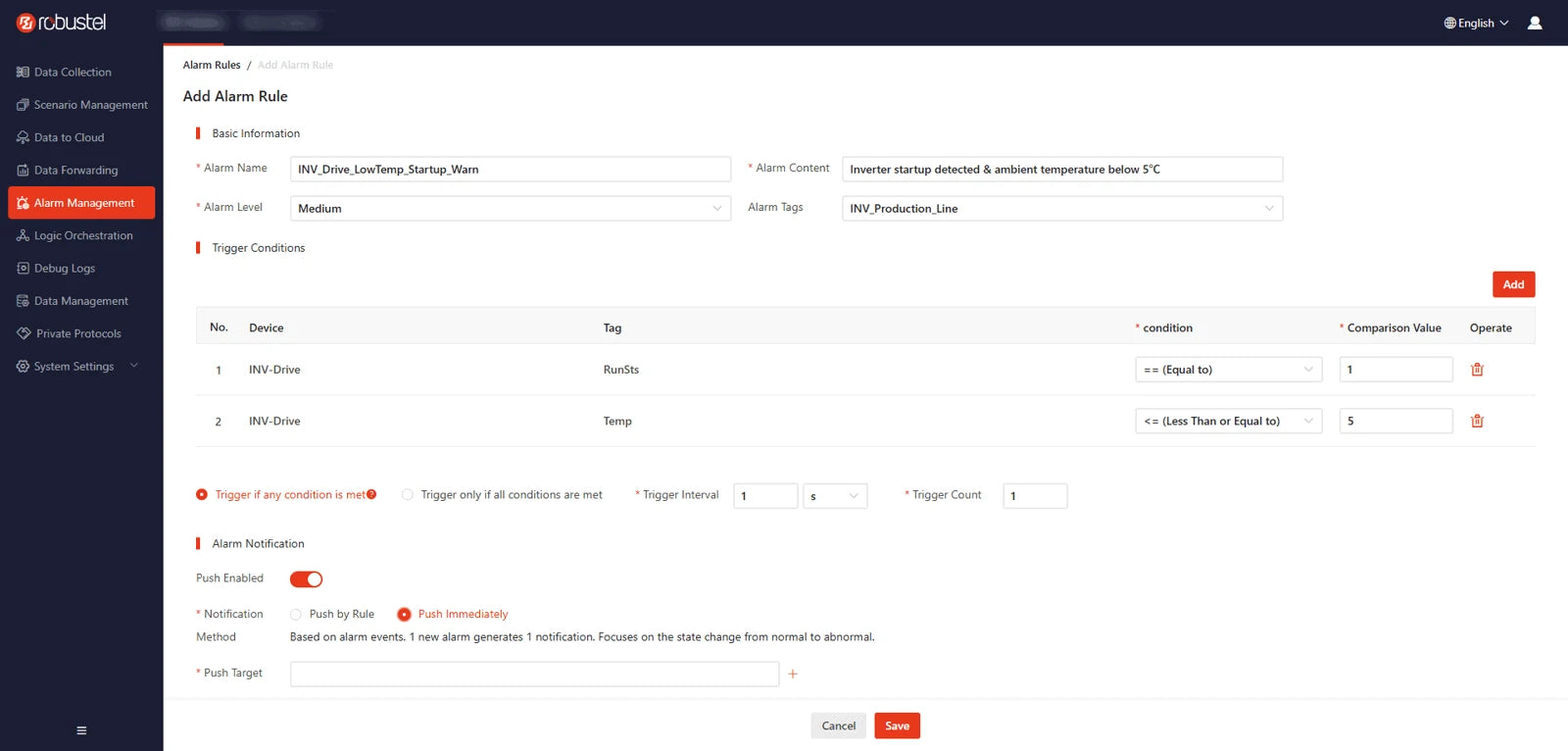
Turn events into configured supervisory actions
Use a local rule, alarm event, schedule or cloud command to start a configured response. Update permitted tags, run a function or control a gateway digital output. Machine interlocks and safety functions remain in the PLC or safety system.
- Set event conditions, execution order and schedules.
- Apply authorised tag writes and configured DO actions.
- Notify via configured WhatsApp, Telegram, email or SMS.
Capabilities and capacity depend on the edition. Pro features shown are optional paid upgrades.
E2C editions & capacity
- Free
- 18 protocols, up to 200 collection tags and 100 SCADA tags.
- Core · Included
- Full Factory protocol library, with 2,000 collection tags and 2,000 SCADA tags in this Kit.
- Pro · Optional paid upgrade
- Adds OEE. Available with 2,000 or 5,000 collection tags.
5,000-tag configurations require 8 GB RAM. Upgrades are separate from the included Core licence.
 From first connection to fleet operations
Deploy gateways with prepared configurations, monitor their health and maintain remote sites from one platform. Turn a successful evaluation into a repeatable rollout.
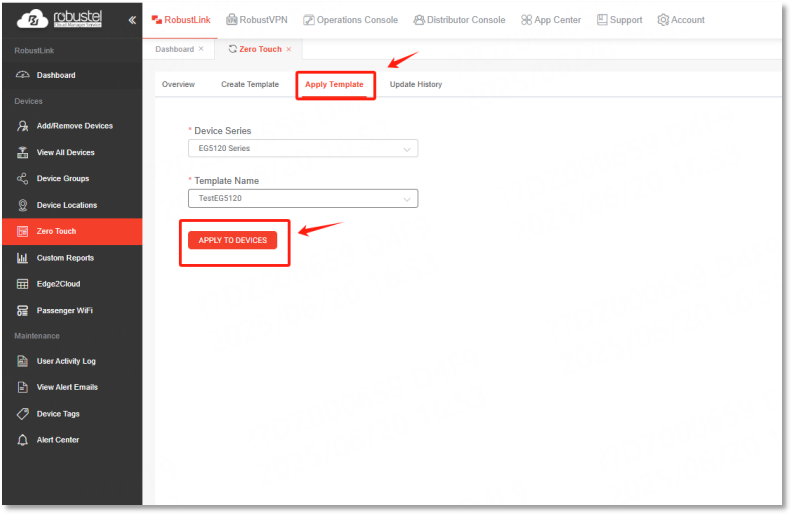
Give a new gateway a known configuration
Prepare and assign a configuration template before sending a gateway to site. Once the registered gateway connects to the internet, it can receive its settings through RCMS.
- Choose a template for the target gateway.
- Associate the gateway with the intended deployment.
- Check its online status after first connection.
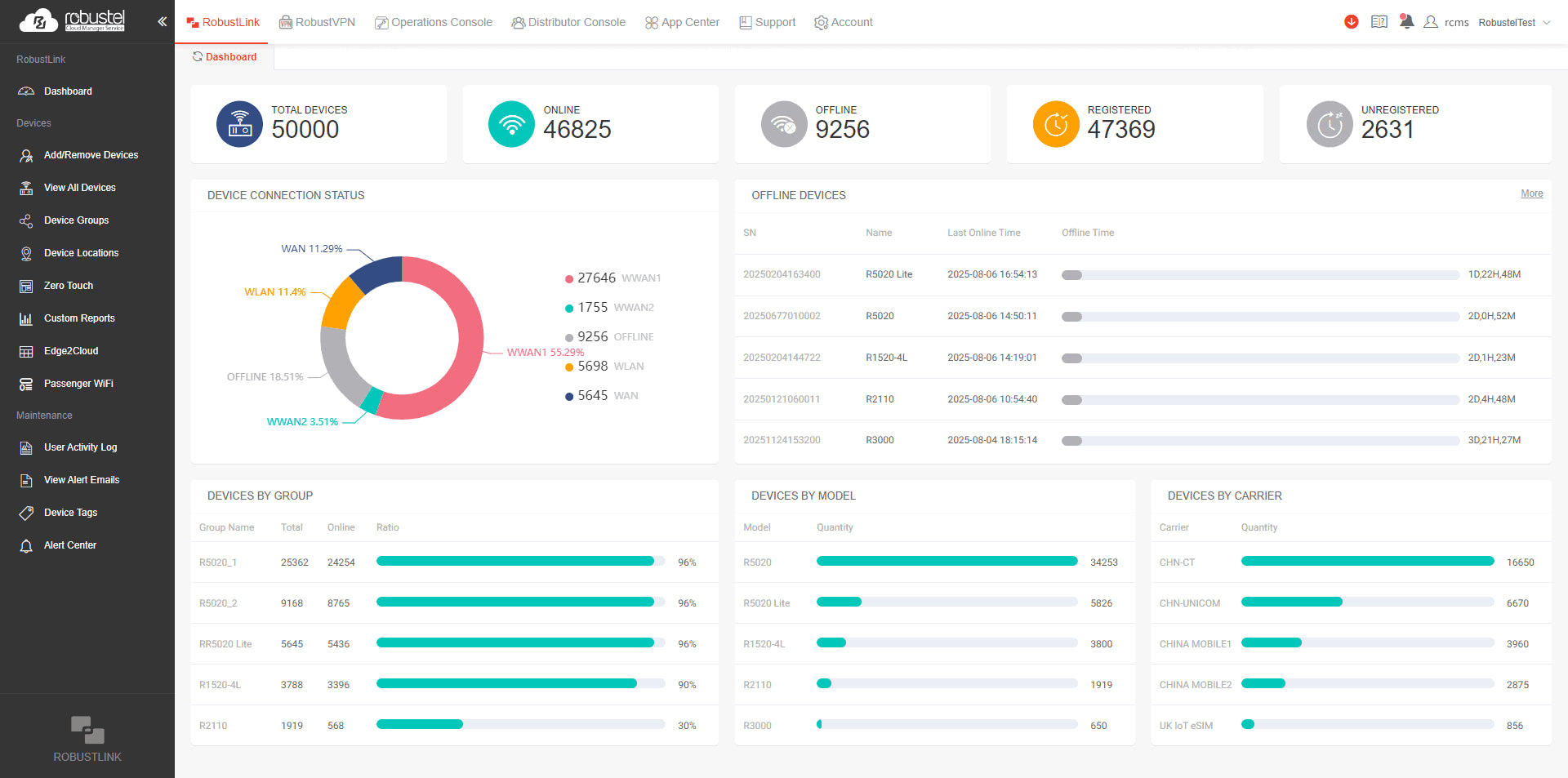
See which gateways are online
Start with the pilot gateway’s connection status. If a site goes offline, compare its connection history and cellular signal to see when the link changed. Use group views as more gateways come online.
- Check connection type and gateway information.
- Review signal strength and mobile data usage.
- Identify offline devices in a group.
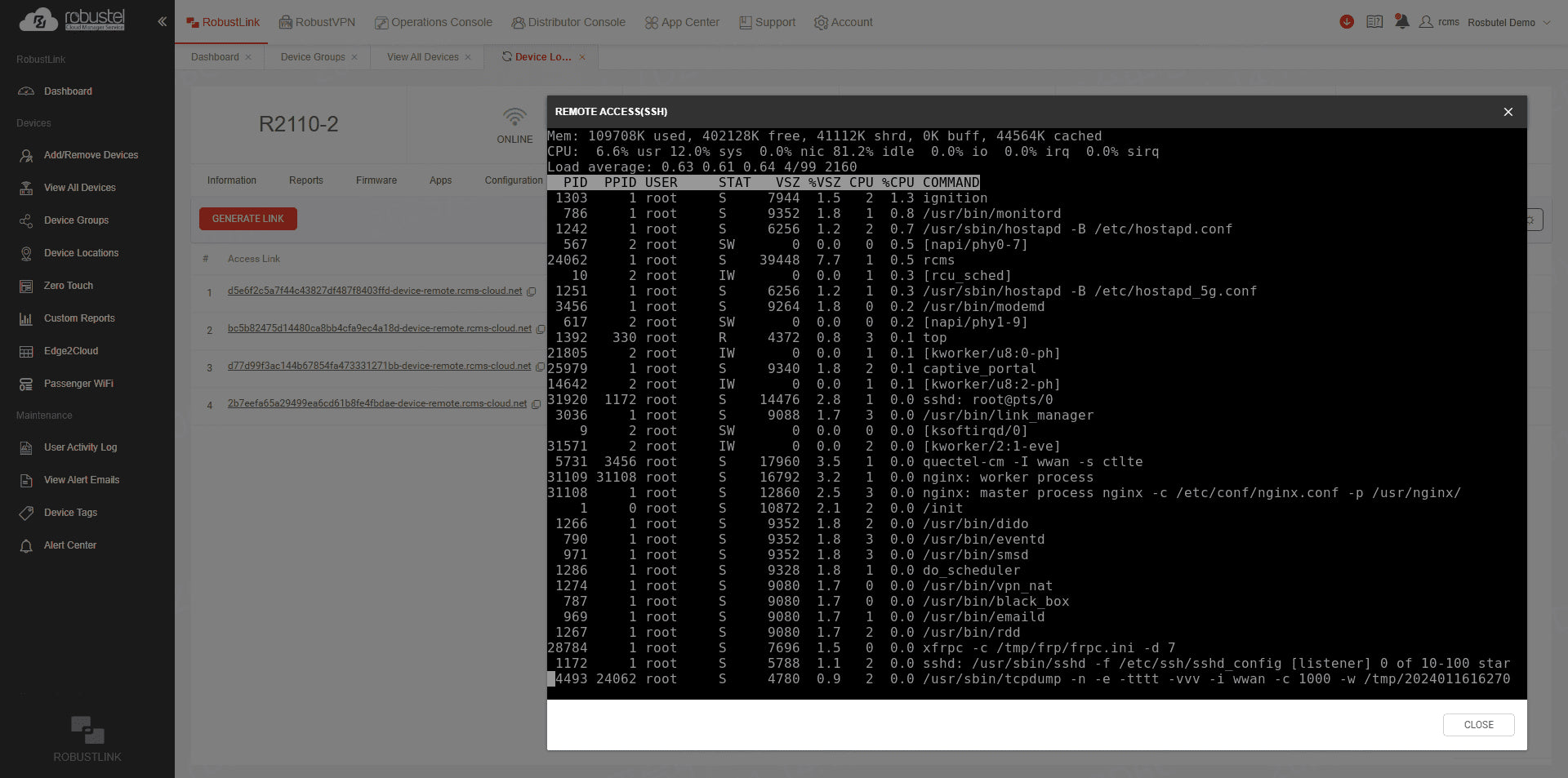
Reach the gateway or equipment at a remote site
Choose the connection for the job. To check gateway settings, open its management interface in a browser. To service equipment on the site network, use RobustVPN with the engineering tools you already use.
- Open the gateway’s web interface or a remote CLI session.
- Reach a PLC, HMI or camera behind the gateway over RobustVPN.
- Check that the gateway is online and the target device is reachable on its LAN.
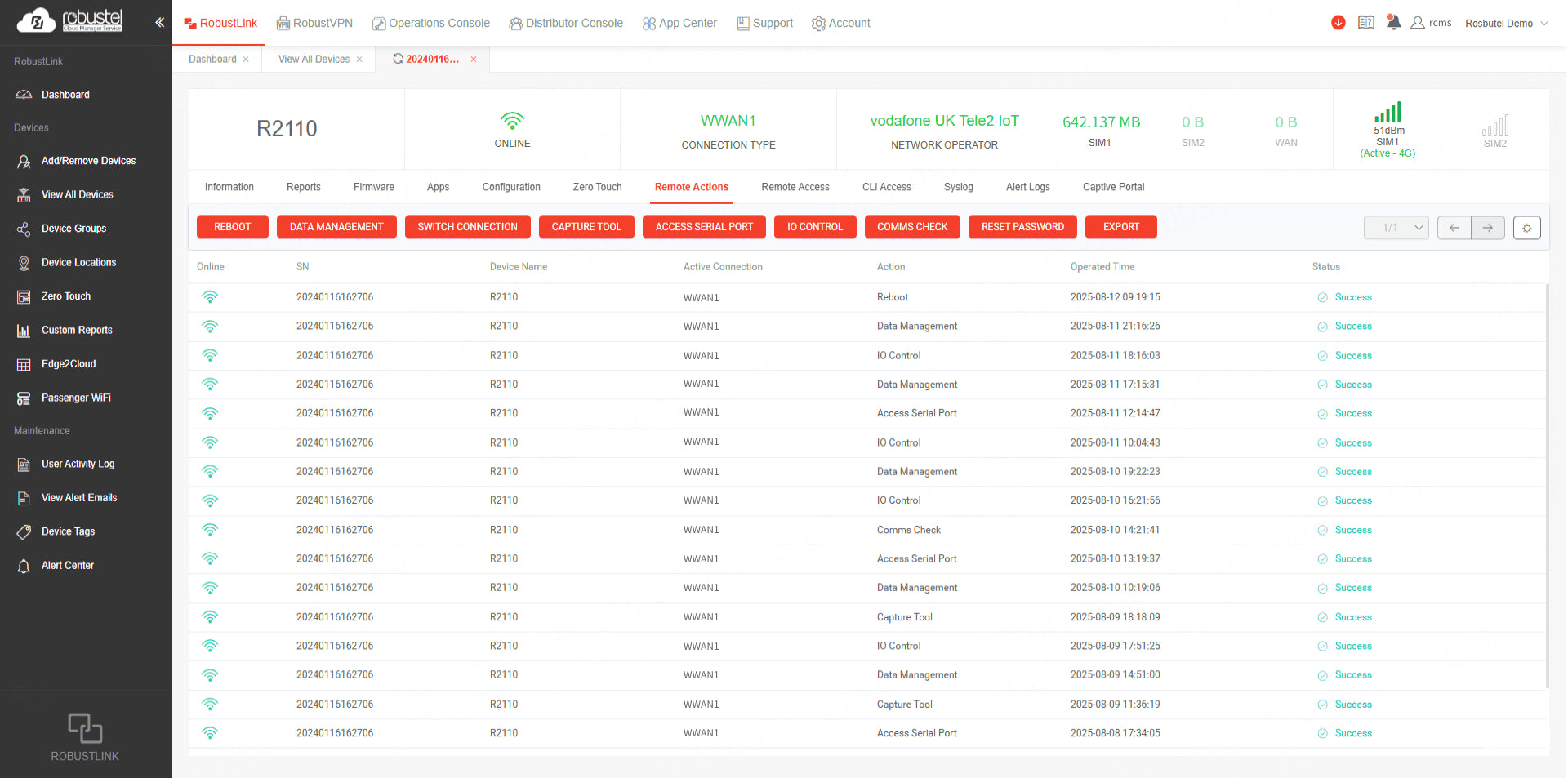
Diagnose faults and update selected gateways
Start an investigation with the gateway’s connection history and system log. When a configuration or firmware change is needed, target the affected gateways and review the update task in RCMS.
- Review or export the system log.
- Check the installed firmware version.
- Deliver configuration or firmware updates over the air.
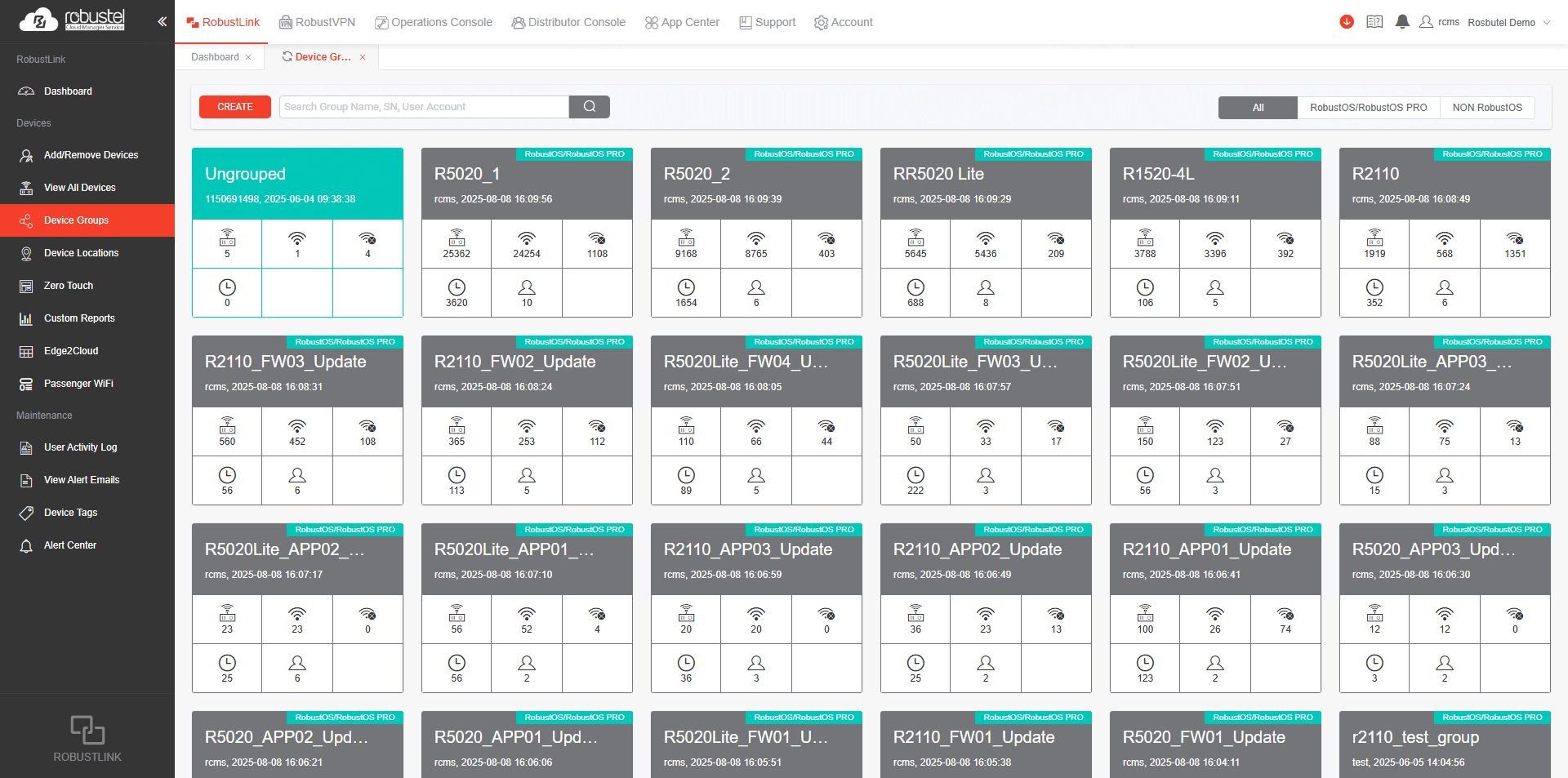
Take a validated pilot to the next group of sites
Reuse a validated pilot configuration for the next group of compatible gateways. Group devices by site or batch to see which have joined and which still need attention.
- Import a device list and review its status.
- Apply the validated template to the next batch.
- Track online and offline devices by group.
RCMS plans & access
- Basic · Free
- Gateway status, connection details, system logs and device groups.
- Essentials · Paid
- Adds zero-touch templates, remote configuration, firmware updates and gateway Web/CLI access.
- Advanced · Included for 12 months
- Includes Essentials, plus RobustVPN access to PLCs, HMIs and other downstream equipment.
Remote access requires an authorised user. The Advanced device licence can be renewed after 12 months.
What’s included
Supplied in the standard hardware and software configuration. Custom setup and commissioning are not included.
Hardware & accessories
EG5120 gateway pack
A009000738- 1 × EG5120 Global 4G gateway, 4 GB / 64 GB
- 2 × cellular antennas, 2 × Wi-Fi antennas and 1 × GNSS antenna
- Power adapter with a global plug set and DIN rail mounting kit
S6000U sensor pack
A014600003- 1 × S6000U sensor
- 4-pin terminal and adhesive mounting material
- 12 V / 1 A power adapter with a global plug set
Included software
E2C Factory (Core Edition)
E2C Factory Core is included with a perpetual licence, 2,000 collection tags and 2,000 SCADA tags. Enabled features depend on the installed version and licence region. Pro is an optional paid upgrade and is required for OEE.
RCMS (Advanced plan · 12 months)
RCMS Advanced is included for 12 months and can be renewed. Internet and account access are required. Remote access requires an authorised user and depends on the network setup. Service allowances follow the supplied plan.
What you'll need
- A computer, Ethernet cable and local network.
- Arrange RS-485 cabling and terminal connections for your installation.
- Internet access for RCMS; SIM, mobile data and third-party cloud services are separate.
Estimated delivery: 7–15 business days. Listed software is supplied with the hardware. Timing can vary with availability, destination and customs clearance. Worldwide outbound shipping is US$40 per order, charged once regardless of the number of items. Import charges are separate unless included or collected in your confirmed order.
Frequently asked questions
Can I connect my own PLC or meter?
Yes, if its protocol and interface are supported by the supplied E2C Factory edition. Check the device register map or data model and configure the connection. The included S6000U provides a sensor example; other devices need their own compatibility checks.
What is the difference between E2C Factory and RCMS?
E2C Factory runs the local data collection and dashboard application on EG5120. RCMS monitors the gateway and provides remote operations supported by the plan. RCMS does not replace the local sensor dashboard.
Which software editions are included?
E2C Factory Core is included with a perpetual licence, 2,000 collection tags and 2,000 SCADA tags. RCMS Advanced is included for 12 months and can be renewed. Pro features such as OEE and additional capacity are optional paid upgrades.
Do I need a SIM card or cloud subscription?
No. You can run the local sensor-to-dashboard workflow over Ethernet. RCMS requires internet access. A SIM, mobile data plan or third-party cloud service is only needed if you choose that connection or destination, and is separate from the Kit.
What setup is needed before I can use the Kit?
Connect the S6000U to the EG5120 over RS-485 and match the serial settings at both ends. Verify a sensor reading in E2C Factory before configuring your local dashboard.