
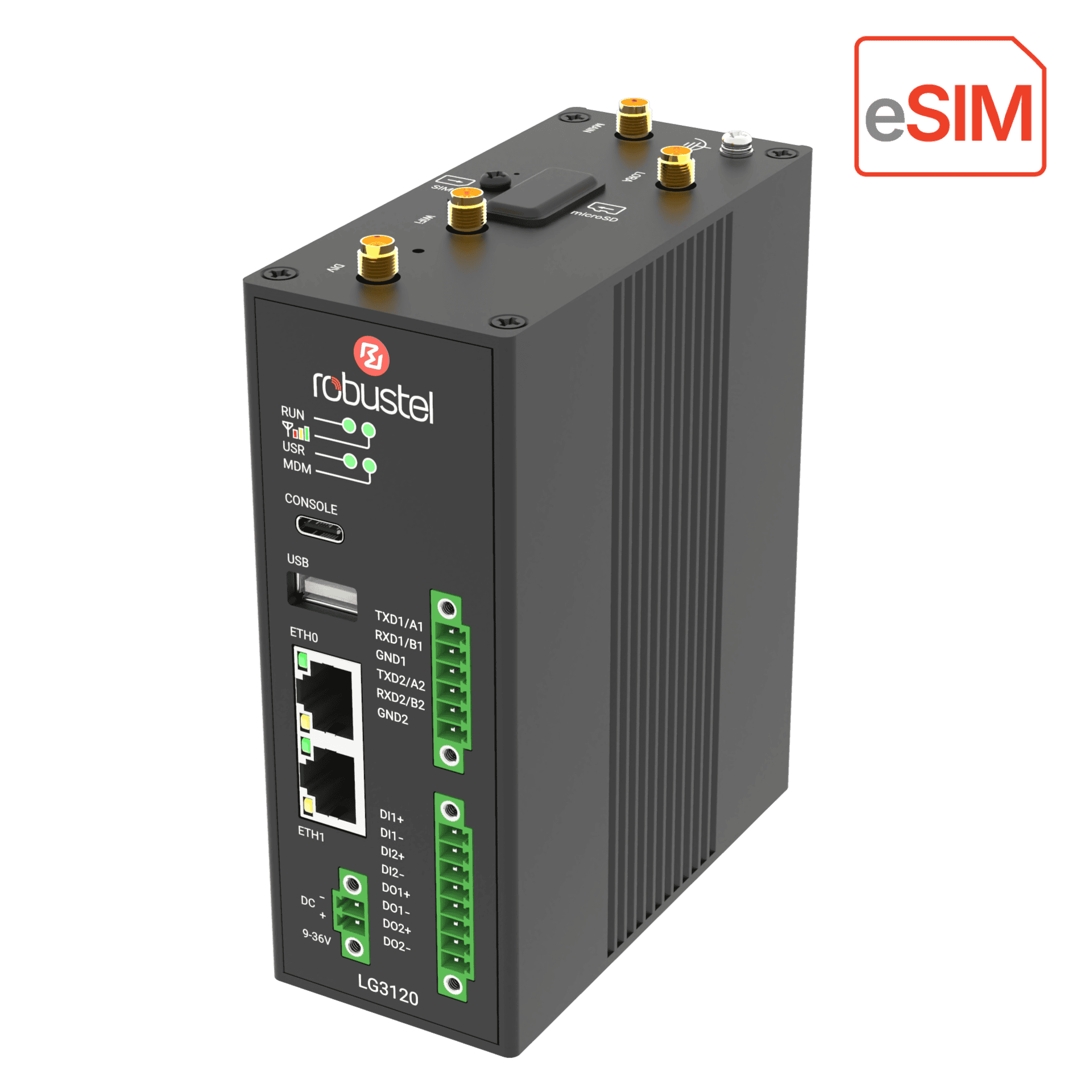
 LG3120e
Sensor not included.
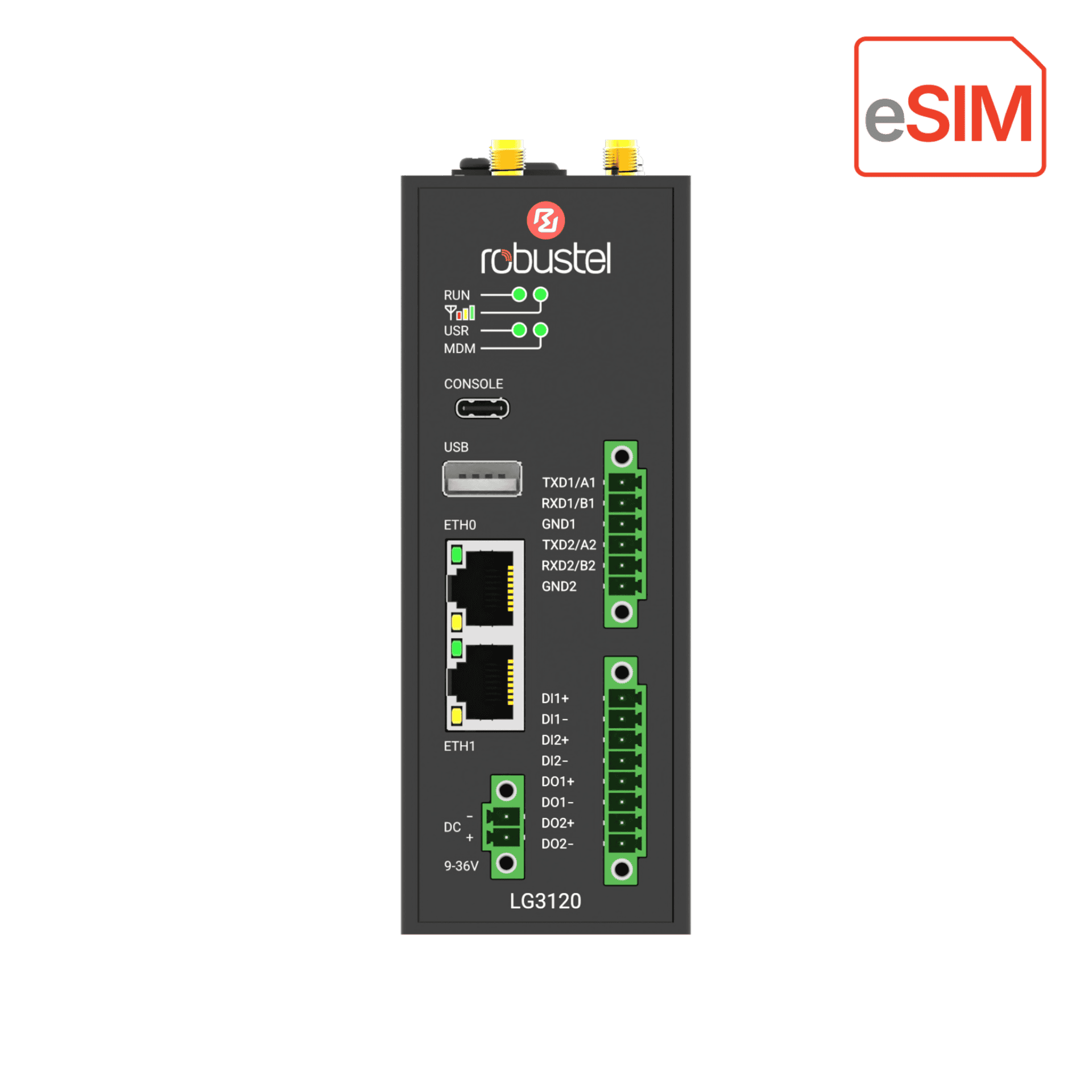
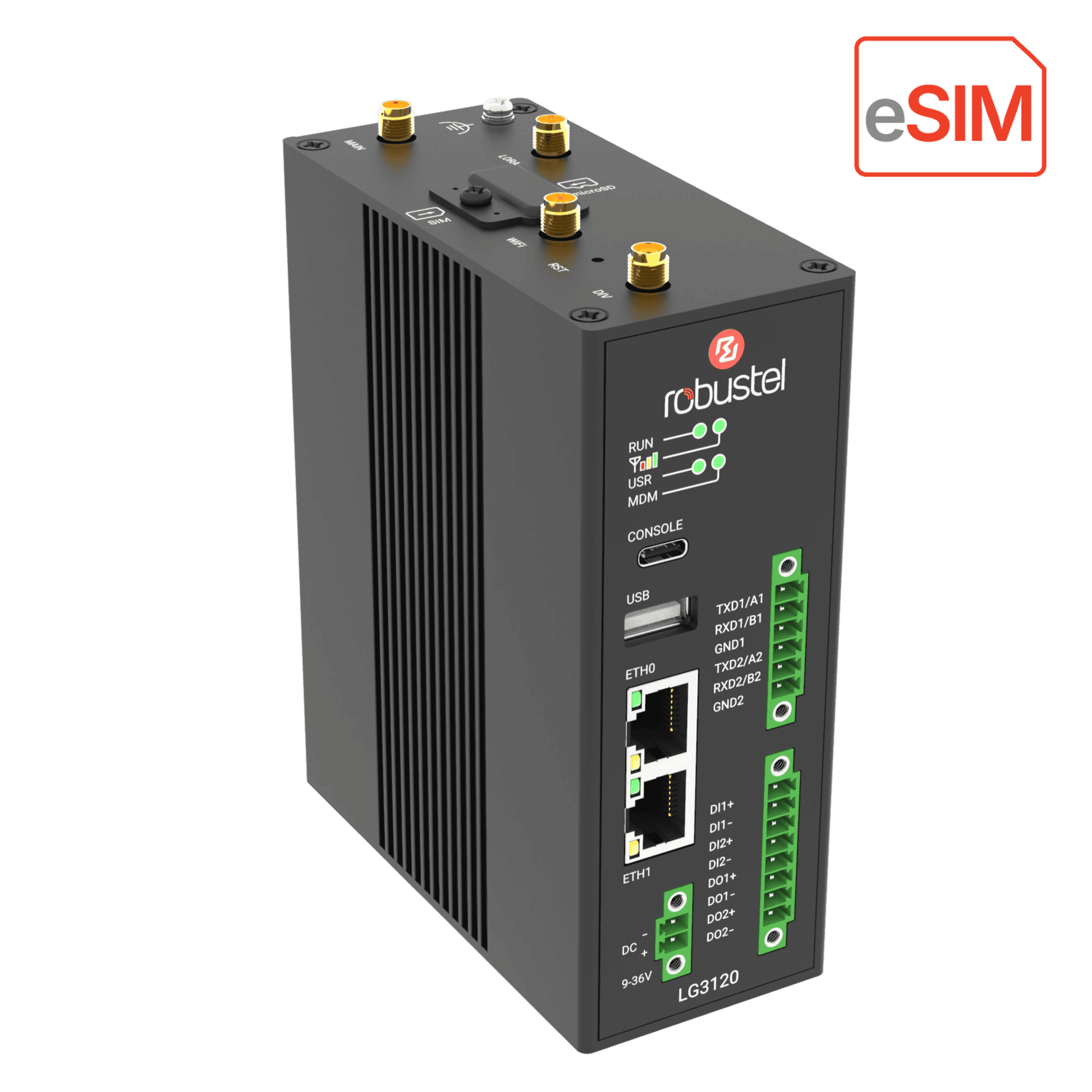
The Kit at a glance
LoRaWAN Integration Kit
Test a sample payload with a codec, then connect your own compatible LoRaWAN sensor to the LG3120e and forward decoded values to your application. A sensor is not included.
- Gateway
- LG3120e · Global 4G
- Edge software
- E2C Field
- Sensor
- Bring your own
- Radio region
- EU868 · AU915 · US915 · AS923
US$599 /kit
Shipping: US$40 per order worldwide.
Estimated delivery: 7–15 business days.
LG3120e + E2C FieldLocal LNS, sensor decoding and wired data collection
Test a codec locally before checking real radio uplinks.
Forward decoded tags via MQTT or BACnet/IP.
Manage the gateway remotely.
Hardware and software at a glance
LG3120e
Connect regional LoRaWAN devices with the edge application.
E2C Field
Receive and decode payloads, use wired data and integrate applications.
RCMS
Monitor and manage the gateway remotely within the supplied service.
Explore each component
E2C Field
Follow a reading from connected devices to local decisions and the systems you use.
Bring sensors and meters onto one gateway.
Connect compatible LoRaWAN sensors through the gateway’s built-in network server. Bring in readings from wired equipment, such as a Modbus meter, so both sources are available to the same application.
- Match the sensor profile and regional channel plan.
- Check live joins and uplinks from your own device.
LG3120eBuilt-in network serverSee what a sensor message actually means.
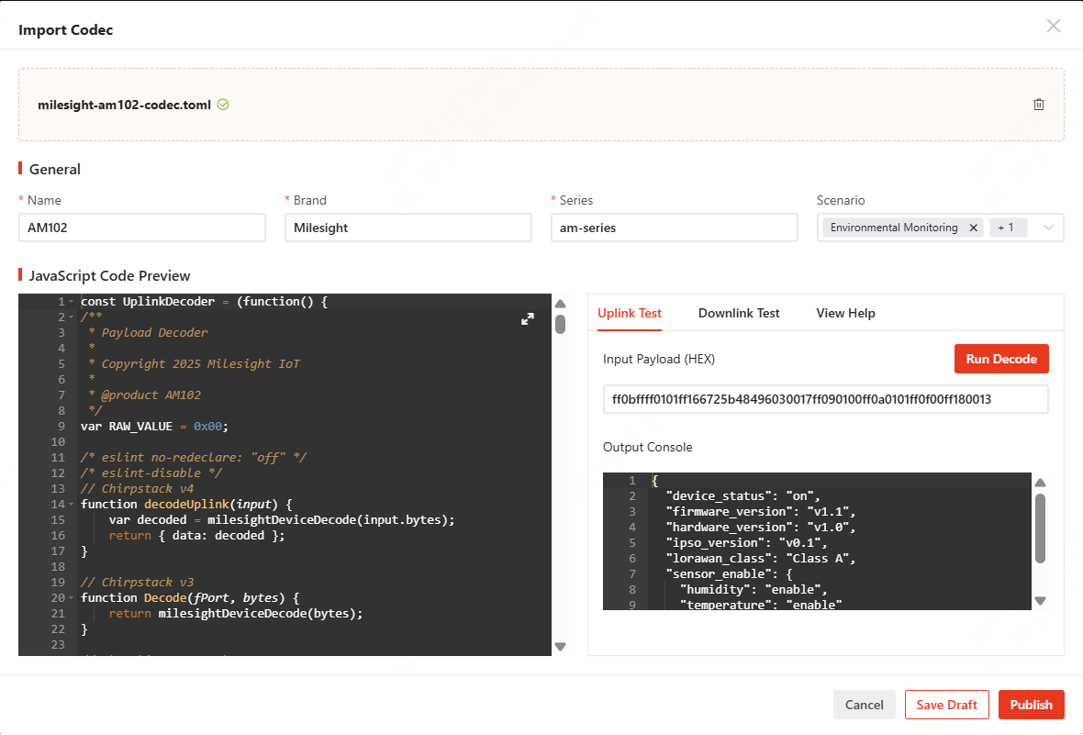
Test a sample payload with the codec for that sensor model. Compare the decoded values with the expected result, then check live uplinks when you connect your own device.
- Use a codec matched to the sensor model.
- Validate the field names and engineering units.
Turn raw readings into useful signals.
Apply scaling and offsets to express values in engineering units. Use Node-RED for a local workflow, or configure a scenario and a threshold alarm to flag a condition that needs attention.
- Evaluate a local condition from the scaled reading.
- Notify the operator when a threshold is exceeded.
235 × 0.1 = 23.5 °CRaw value × scale factor = temperatureCatch up after a connection drops.
If a cloud destination is unreachable, the gateway can buffer outgoing data within its configured capacity and retention period. After reconnection, send the oldest readings first for chronological replay, or the newest first for a current view.
- FIFO: send the oldest retained readings first.
- LIFO: send the newest retained readings first.
| Time | Reading |
|---|---|
| 10:00 | 23.4 °C |
| 10:01 | 23.5 °C |
| 10:02 | 23.6 °C |
Give site operators a local view with Pro.
Build a browser dashboard with live readings, trends and alarms. Built-in SCADA is available with the paid E2C Field Pro upgrade.
- Present live values, trends and alarm conditions.
- Built-in SCADA requires paid Pro Edition.
- Temperature
- 23.5 °C
- Humidity
- 46%
- Status
- Normal
Send field data where people already use it.
Publish selected tags to cloud services, or let building and industrial systems read them locally. Choose the destination and protocol for your application.
- Cloud publish: MQTT, HTTPS or Sparkplug B.
- Local servers: OPC UA, BACnet/IP or Modbus TCP.
The Kit includes perpetual E2C Field Core with 2,000 field tags. Built-in SCADA requires an optional paid Pro upgrade.
E2C editions & capacity
- Free
- Full Field protocol support and up to 100 field tags.
- Core · Included
- Full Field protocol support and up to 2,000 field tags for LoRaWAN and wired devices.
- Pro · Optional paid upgrade
- Adds built-in SCADA. Available with 2,000 or 5,000 field tags.
5,000-tag configurations require 8 GB RAM. Upgrades are separate from the included Core licence.
Match firmware, sensor model, profile and codec before using real uplinks. The supplied software list identifies versions, profiles, sample data and recovery notes. The planned SCADA visualisation exercise requires an optional paid Pro upgrade.
 From first connection to fleet operations
Deploy gateways with prepared configurations, monitor their health and maintain remote sites from one platform. Turn a successful evaluation into a repeatable rollout.
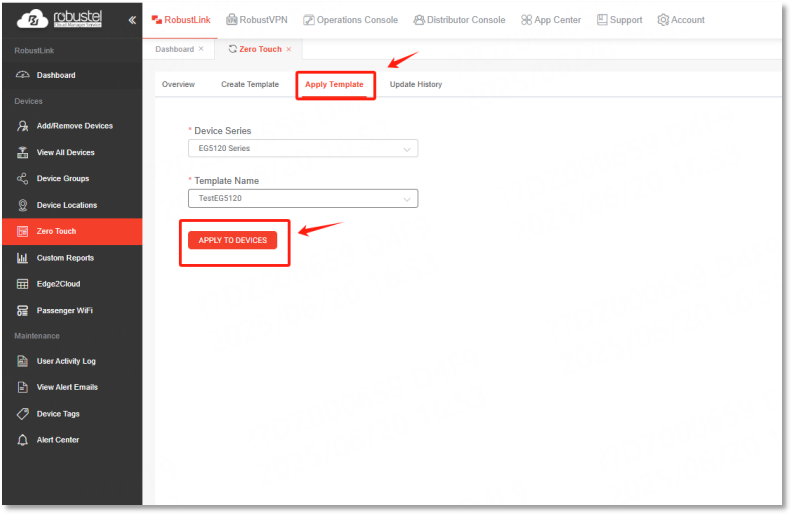
Give a new gateway a known configuration
Prepare and assign a configuration template before sending a gateway to site. Once the registered gateway connects to the internet, it can receive its settings through RCMS.
- Choose a template for the target gateway.
- Associate the gateway with the intended deployment.
- Check its online status after first connection.
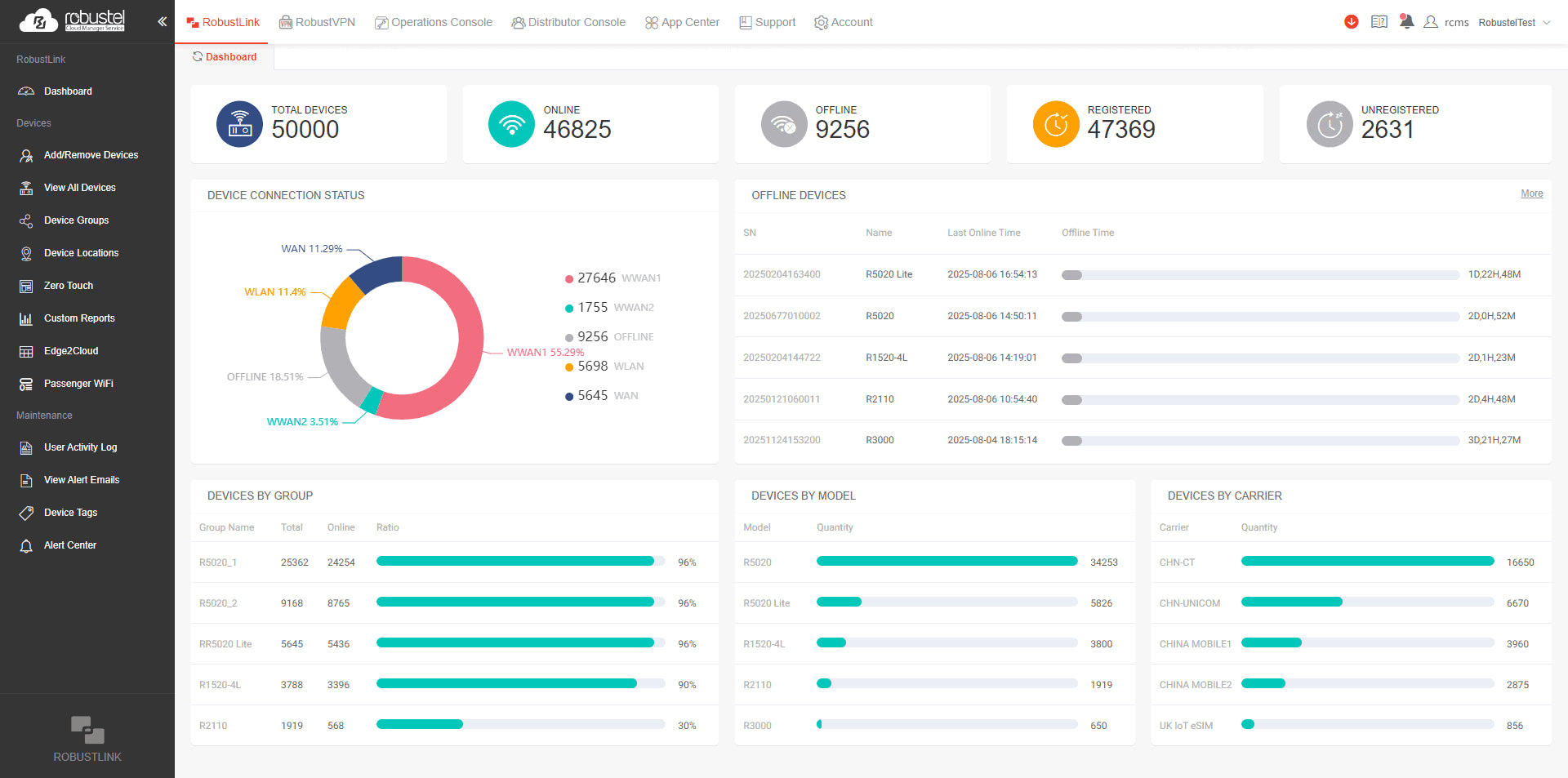
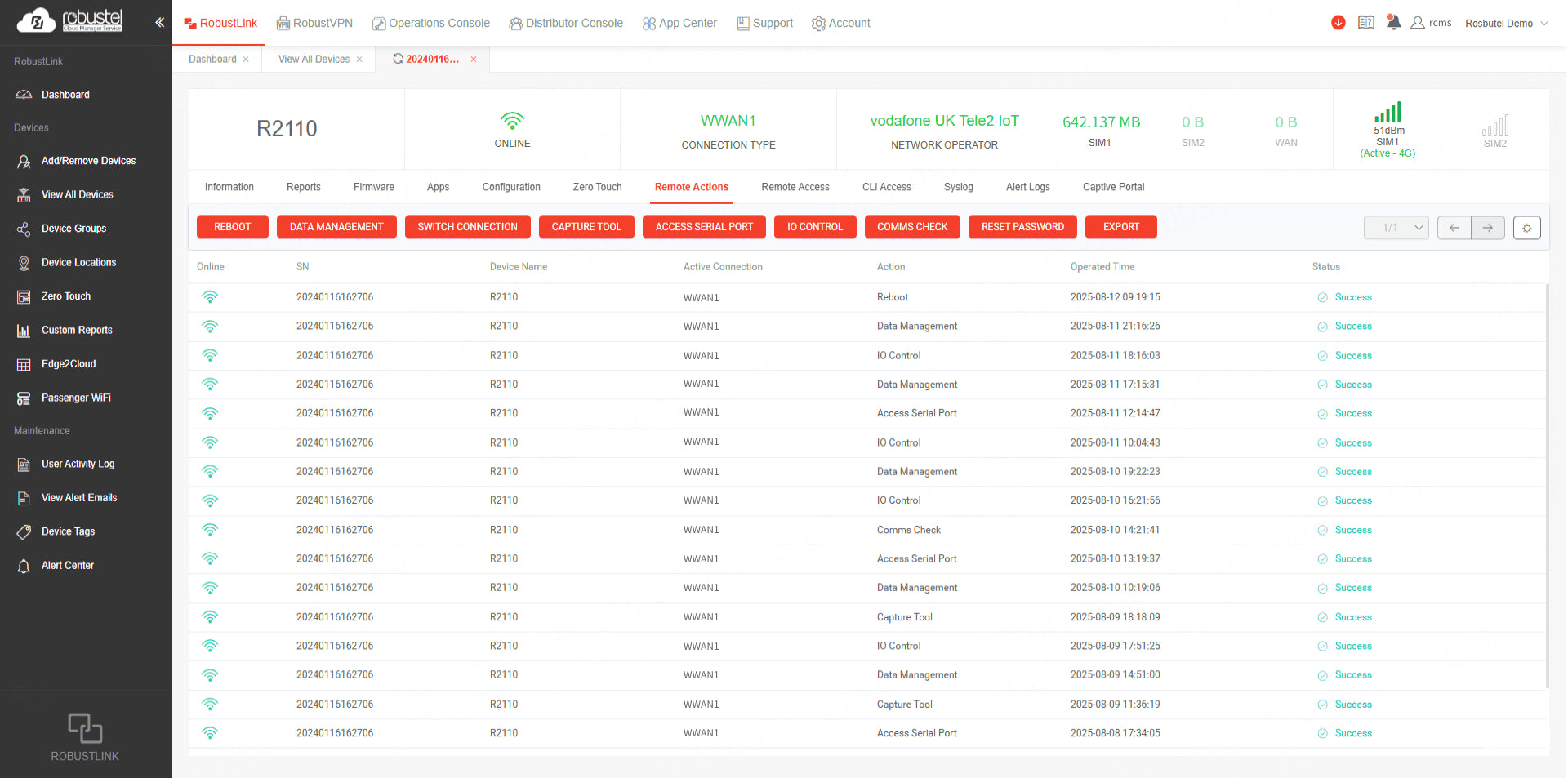
See which gateways are online
Start with the pilot gateway’s connection status. If a site goes offline, compare its connection history and cellular signal to see when the link changed. Use group views as more gateways come online.
- Check connection type and gateway information.
- Review signal strength and mobile data usage.
- Identify offline devices in a group.
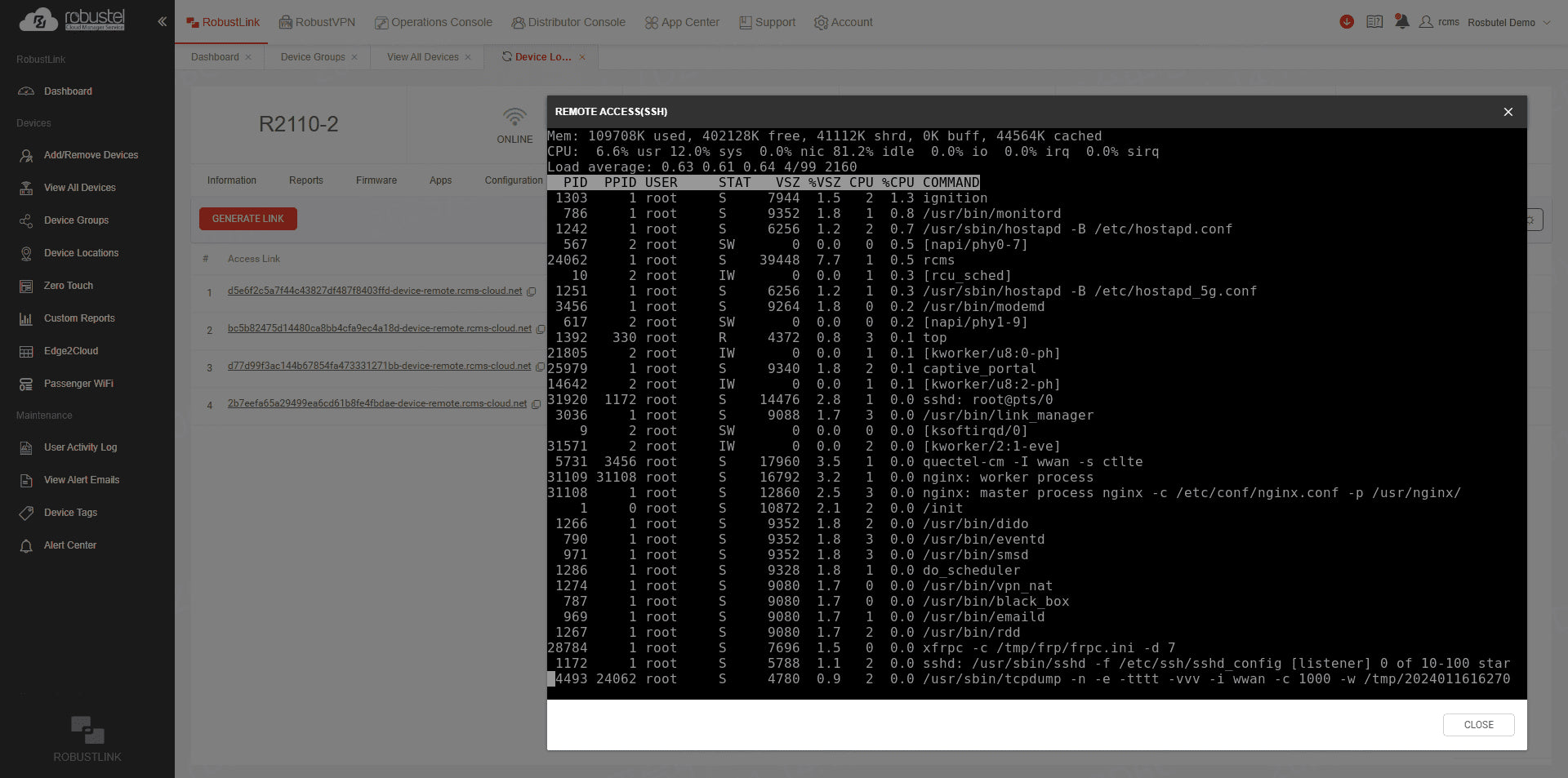
Reach the gateway or equipment at a remote site
Choose the connection for the job. To check gateway settings, open its management interface in a browser. To service equipment on the site network, use RobustVPN with the engineering tools you already use.
- Open the gateway’s web interface or a remote CLI session.
- Reach a PLC, HMI or camera behind the gateway over RobustVPN.
- Check that the gateway is online and the target device is reachable on its LAN.
Diagnose faults and update selected gateways
Start an investigation with the gateway’s connection history and system log. When a configuration or firmware change is needed, target the affected gateways and review the update task in RCMS.
- Review or export the system log.
- Check the installed firmware version.
- Deliver configuration or firmware updates over the air.
Take a validated pilot to the next group of sites
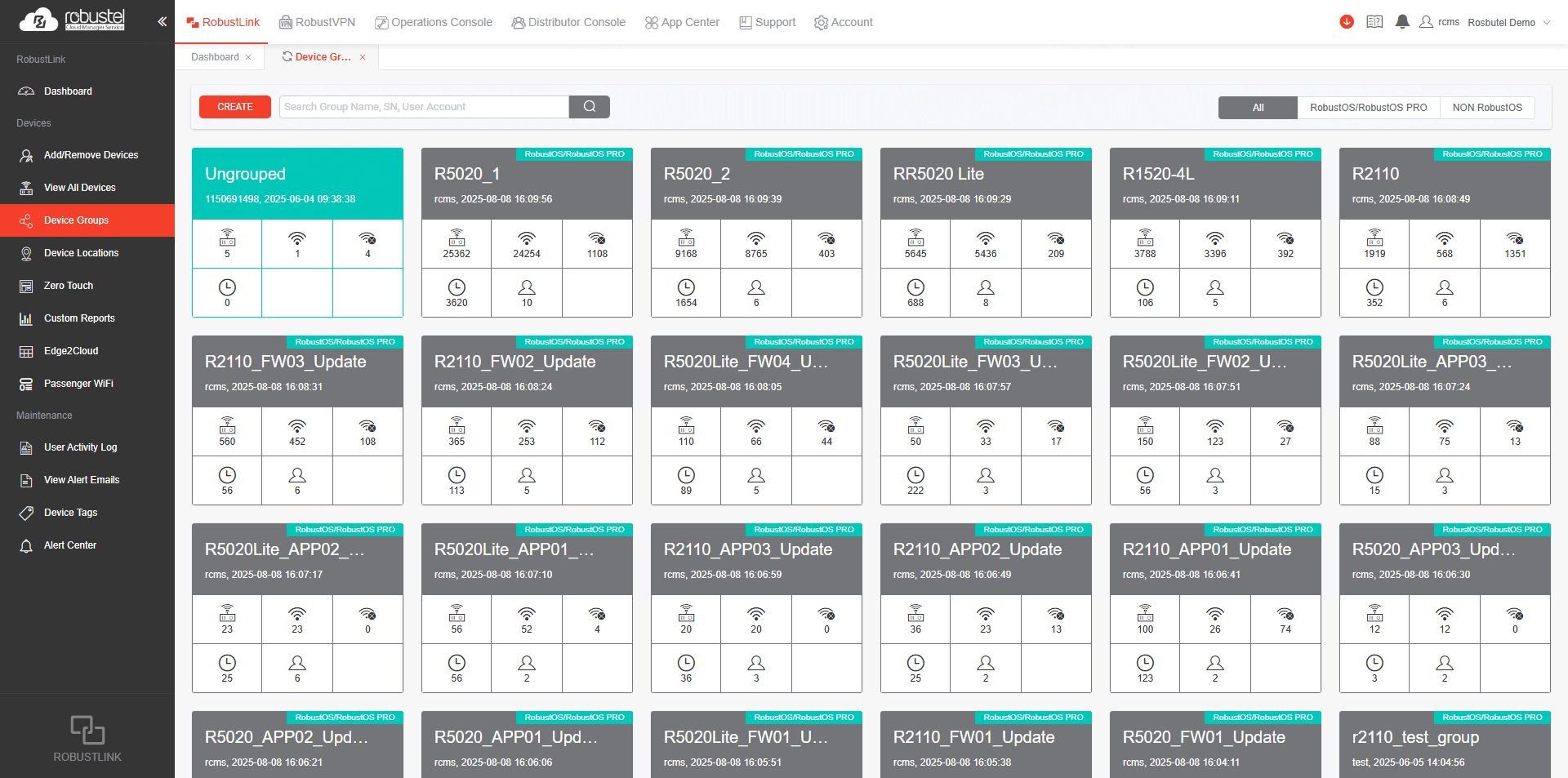
Reuse a validated pilot configuration for the next group of compatible gateways. Group devices by site or batch to see which have joined and which still need attention.
- Import a device list and review its status.
- Apply the validated template to the next batch.
- Track online and offline devices by group.
RCMS plans & access
- Basic · Free
- Gateway status, connection details, system logs and device groups.
- Essentials · Paid
- Adds zero-touch templates, remote configuration, firmware updates and gateway Web/CLI access.
- Advanced · Included for 12 months
- Includes Essentials, plus RobustVPN access to PLCs, HMIs and other downstream equipment.
Remote access requires an authorised user. The Advanced device licence can be renewed after 12 months.
LG3120e specifications
Compute & connectivity
| Processor | Quad-core ARM Cortex-A53, 2.0 GHz |
|---|---|
| Memory / storage | 2 GB RAM / 8 GB eMMC |
| LoRaWAN | 8 channels; LoRaWAN 1.0.4; Class A / Class C |
| Cellular | A35GL Global 4G modem; service supplied separately |
| Ethernet | 2 × 10/100 Mbps; configurable LAN / WAN |
| Platform | RobustOS Pro, Debian-based; matched E2C Field release |
Interfaces & deployment
| Serial | 2 × RS-232/RS-485, software configurable |
|---|---|
| Digital I/O | 2 × DI + 2 × DO |
| Wi-Fi | Wi-Fi 6; 2.4 / 5 GHz |
| SIM hardware | Mini SIM (2FF) slot + MFF2 eSIM hardware; no activated plan |
| Power | 9–36 V DC |
| Installation | IP30; −25 to +70 °C; DIN rail mounting option |
What’s included
Supplied in the standard hardware and software configuration. Custom setup and commissioning are not included.
Hardware & accessories
LG3120e gateway pack
- 1 × LG3120e, with the selected LoRaWAN radio region
- 1 × power adapter with a global plug set and 1 × matching LoRa antenna
- 2 × cellular antennas and 1 × Wi-Fi antenna
- 1 × DIN rail mounting kit
Ethernet cable and Kit start card as planned Kit additions
Included software
E2C Field Core
Version-matched gateway software and regional profile guidance. E2C Field Core is included with a perpetual licence and 2,000 field tags. Built-in SCADA requires an optional paid Pro upgrade.
RCMS Advanced
RCMS Advanced is included for 12 months and can be renewed. Internet and account access are required. Remote access requires an authorised user and depends on the network setup. Service allowances follow the supplied plan.
Standard sample payloads, expected decoded values and codec/onboarding references. Planned SCADA examples use simulated data and require an optional paid Pro upgrade.
The confirmed software list identifies the final files and versions. Planned Kit resources are still being tested.
What you'll need
- A computer with a browser and local Ethernet access
- Your compatible sensor and credentials for the real-radio path
- Internet access only for external resources, RCMS or a chosen remote destination
Standard Kit excludes sensors, additional controllers, activated SIM / eSIM profiles, mobile data and third-party cloud subscriptions. A hosted LoRaWAN network server is not required for the local workflow.
LoRaWAN frequency & gateway references
Choose the frequency and channel plan for your deployment country. The codes below identify LG3120e hardware packages; Kit software and services are listed above.
| Frequency | Gateway model | Full gateway pack | Basic gateway pack | Device code | Published approvals |
|---|---|---|---|---|---|
| EU868 | LG3120e-ABJAA-4L-A35GL | A015800002 | A015800001 | B015800001 | CE · UKCA |
| AU915 | LG3120e-ACJAA-4L-A35GL | A015800004 | A015800003 | B015800002 | CE · RCM |
| US915 | LG3120e-ADJAA-4L-A35GL | A015800006 | A015800005 | B015800003 | FCC / IC certification in progress |
| AS923 | LG3120e-AEJAA-4L-A35GL | A015800008 | A015800007 | B015800004 | CE |
Gateway-only LG3120e configurations can also be requested.
Estimated delivery: 7–15 business days. Listed software is supplied with the hardware. Timing can vary with availability, destination and customs clearance. Worldwide outbound shipping is US$40 per order, charged once regardless of the number of items. Import charges are separate unless included or collected in your confirmed order.
Frequently asked questions
Can I start without buying a sensor?
Yes. Use the codec samples and expected decoded values to explore the data workflow with the included E2C Field Core licence. The planned simulated SCADA exercise requires an optional paid Pro upgrade. A real sensor is needed to test radio joins, uplinks and coverage; sensors are not included.
Will the Kit work with my LoRaWAN sensor?
Match the sensor and gateway frequency, channel plan and device profile, and check that a suitable codec supports its payload. EU868, AU915, US915 and AS923 are separate configurations. The selected hardware and antenna must meet your deployment country’s requirements; US915 FCC/IC certification is in progress.
Does an available codec mean my sensor is fully supported?
A codec decodes a particular payload format. Compatibility also depends on sensor firmware, device profile, gateway software and radio configuration. Check known sample data first, then verify readings from your actual sensor.
Do I need Pro Edition for a SCADA dashboard?
Yes. E2C Field Core is included with a perpetual licence and 2,000 field tags, but built-in SCADA requires an optional paid Pro upgrade. Free and Core do not include SCADA. The planned Kit SCADA example uses simulated values.
Do I need a hosted network server or cloud subscription?
No hosted LNS subscription is required for the local gateway and E2C Field workflow. RCMS and remote destinations need internet access. Third-party cloud services, SIM cards and mobile data plans are separate choices and are not included.